DiveOpsHubNederlandsEnglishDeutschFrançais
DiveOpsHub
Try it free
🌊 Made for dive schools

One system for your entire dive school

Point of sale, rental, workshop, courses with a complete course tracking system, online enrollment, forms, dive sites with an emergency plan, invoicing and a customer portal — all in one place. Work at the front desk, on your laptop or simply on your phone at the water's edge.

No installation · Runs in the browser · Cancel monthly
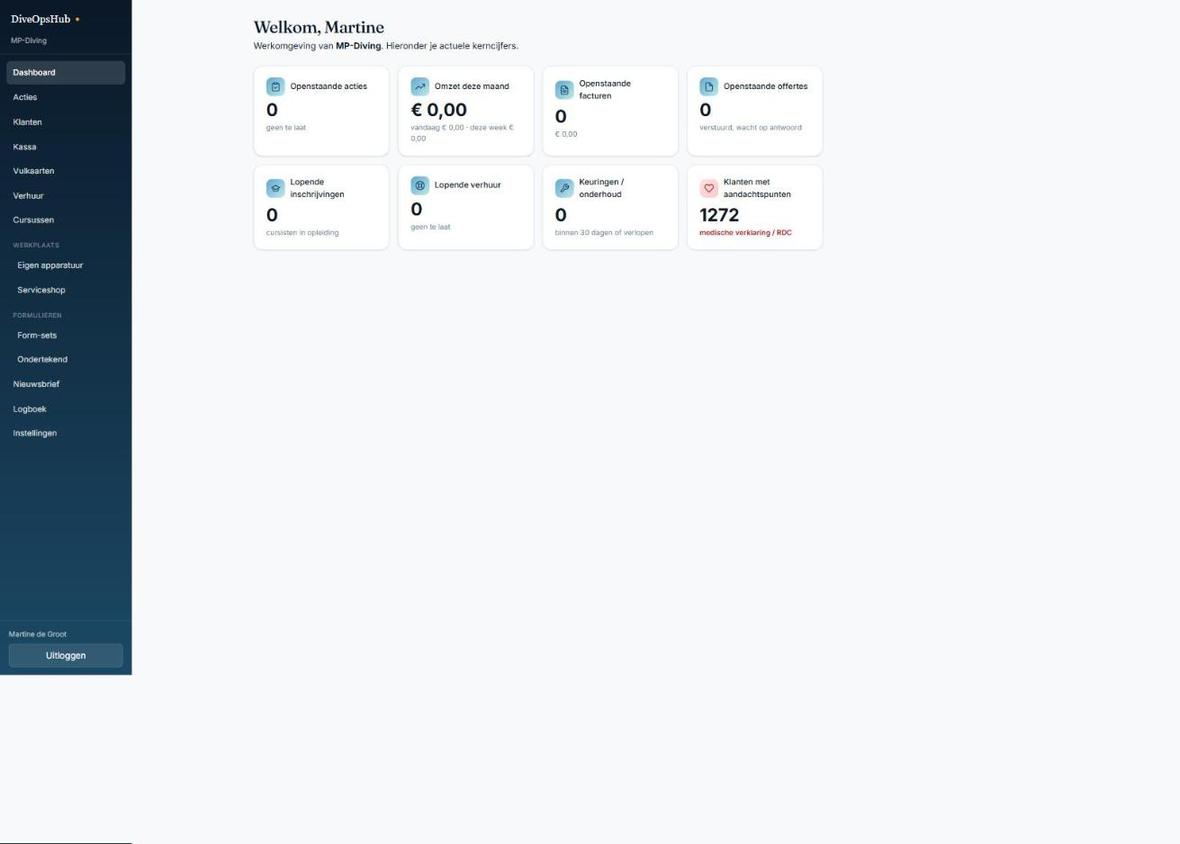
DiveOpsHub dashboard
Why DiveOpsHub

Less admin, more diving

DiveOpsHub is built around the day-to-day reality of a dive school. Everything you now keep in scattered lists, folders and systems comes together in one clear environment that grows with you — and that is easy to use even for people who don't sit behind a computer every day.

⚡

All-in-one

From checkout to maintenance, from enrollment to certification and from rental to emergency plan — no more separate tools that don't talk to each other.

📱

Works anywhere

In the browser, on the front-desk PC, a tablet or a phone. Big buttons, scanning with the camera and the emergency plan for your dive site always at hand.

🔒

Secure & isolated

Your own secure environment. Other schools' data is strictly separated and never visible.

In pictures

Here's what it looks like

A selection of the screens you use every day.

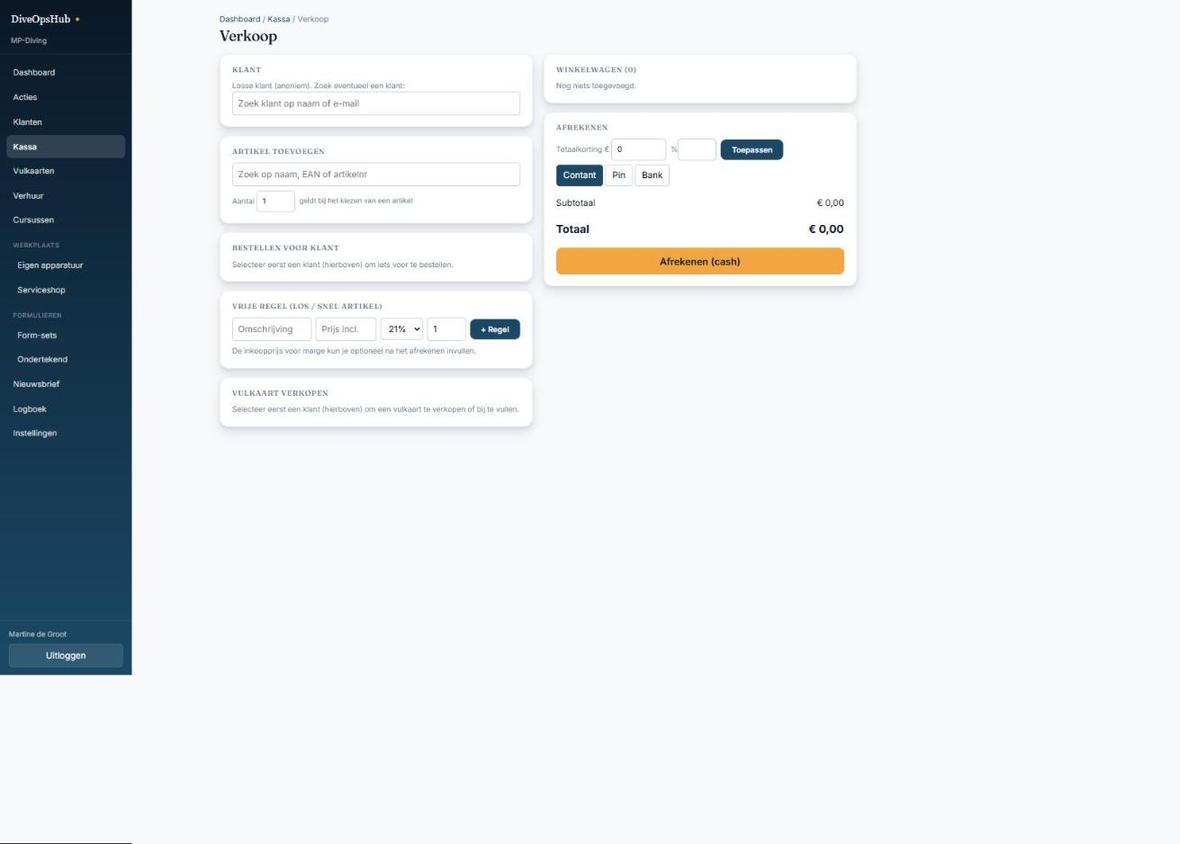
Point of sale & checkout
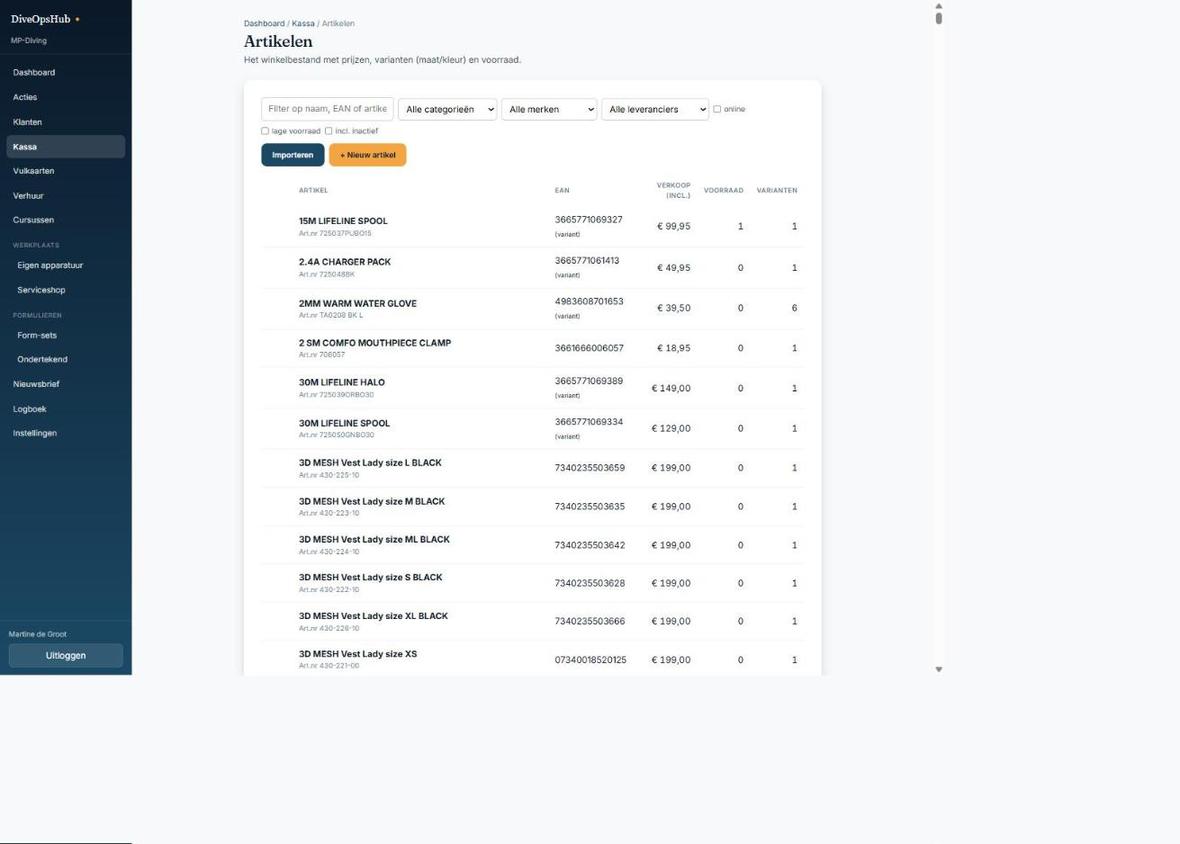
Items, stock & variants
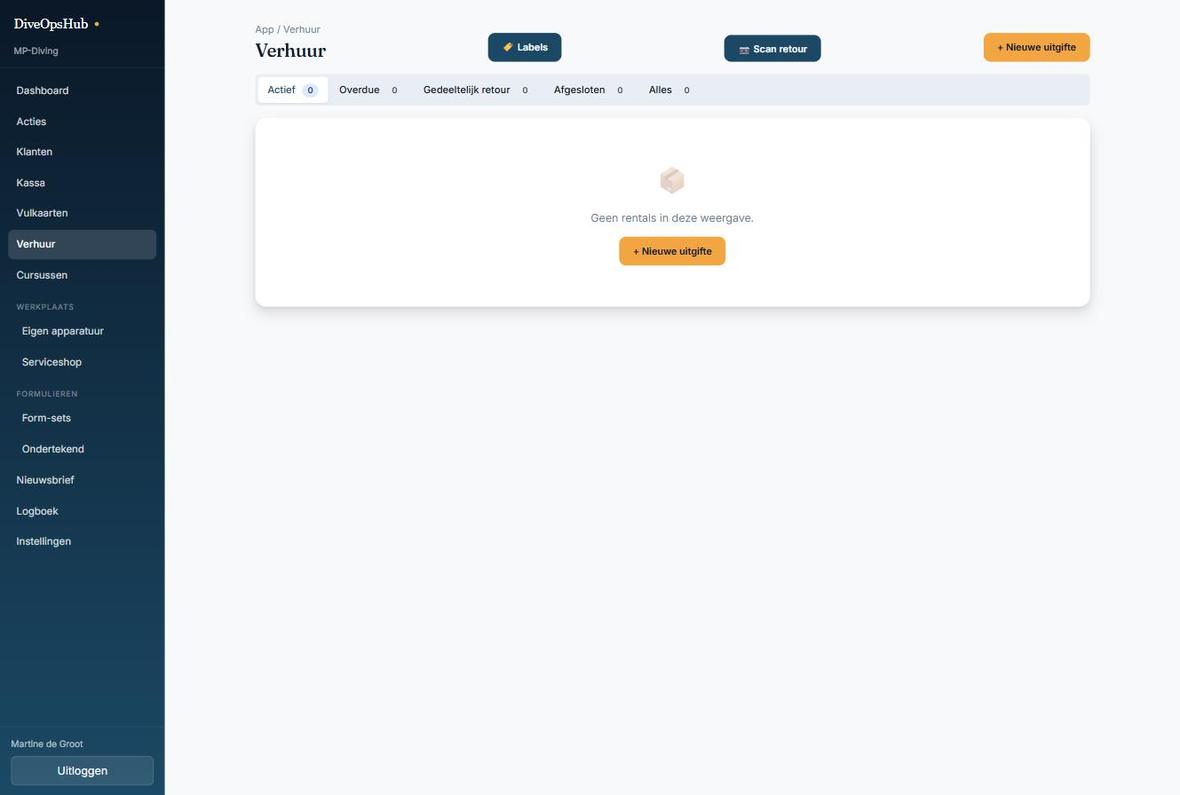
Rental with status overview
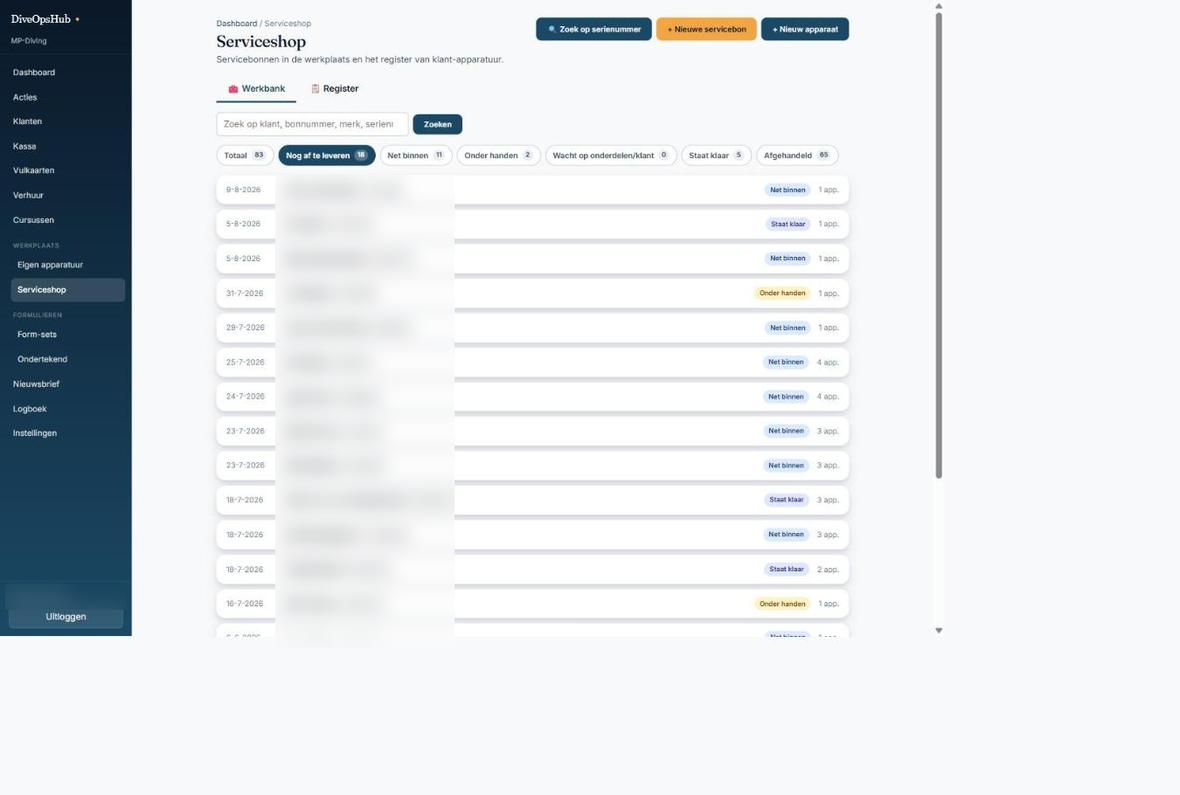
Service shop — Workbench
ScreenshotNewsletter editor
ScreenshotCustomer portal
Complete overview

Every feature at a glance

DiveOpsHub is made up of modules you switch on or off individually. You pay for and use only what you need.

Point of sale & items

  • Fast checkout with a receipt (80 mm) and automatic invoice
  • Scan barcodes with a handheld scanner or phone camera
  • Find a customer by name or phone number, with their town shown for recognition
  • Stock management with a full change history and stocktaking
  • Sizes & colours (variants) and composite items (set/kit)
  • Labels with logo, price, barcode and QR
  • Photos on items, also added in one go for your whole range
  • Discounts, quotes, orders and ordering for a customer

Course tracking system

  • Templates with lessons and lesson parts, with help texts and links
  • Instructors sign off with one button: ✓ Done
  • Instructors see only their own students; the centre sees everything
  • Checklist per course: forms, medical statement, address, passport photo
  • Passport photo for the certification card, via the front desk or by the student themselves
  • Progress record filled in automatically and digitally signed by student and instructor
  • Log of every sign-off: who, what and when

Online enrollment

  • One fixed link to put on your own website
  • Your entire course offering, or one course per link
  • The student signs the forms straight away when signing up
  • You confirm the sign-up with one click at the front desk
  • The student immediately gets access to their own portal

Customer portal

  • Passwordless login via an email link
  • Follow courses: lessons, progress and notes from the instructor
  • Sign forms and update their own details
  • Upload a passport photo from the phone
  • View equipment, maintenance, rentals, purchases, fill cards and gift vouchers
  • Subscribe/unsubscribe from the newsletter yourself

Dive sites & emergency plan

  • An emergency plan per site with call buttons: 112, hospital, hyperbaric chamber
  • Site info, characteristics and dive map (photo or PDF) on your phone
  • A fixed briefing in 16 parts, with standard texts that fill themselves in
  • Site check, missing diver and a dive list
  • Everything as a printable PDF for the dive box
  • Library of more than 280 Dutch dive sites to copy and check

Forms & libraries

  • Sign digital SSI and SDI forms & waivers
  • On the tablet, via a link or in the customer portal
  • Medical forms visible only to those who are allowed to see them
  • SSI template library: more than 90 courses with lessons from the cue cards and training records
  • Optionally added straight away as a course and a till item

Rental

  • Overview of everything that is out right now, with overdue items at the top
  • Print QR labels; scan at hand-out and return
  • Capture a signature and ID photo on the spot
  • Up to three rates plus a deposit per item
  • Rental slip by email and in the customer portal

Workshop

  • Service tickets for maintenance, inspection and repair, with a readable ticket number
  • See what is in the workshop and for how long
  • Maintenance form with a checklist per device type and a report with photos
  • Inspections of your own equipment
  • Logbooks for the compressor, nitrox buffer and more
  • Documentation library with service manuals, on the phone too

Cards & vouchers

  • Sell fill cards through the register and deduct fills with a scan
  • Named punch cards, for example for kids' diving
  • Gift vouchers in your own design, with balance and expiry date
  • Print customer cards with a barcode

Invoicing & accounting

  • Invoices from a sale, service, rental, quote or order
  • Sequential, unique numbering · credit notes · delivery date · PDF
  • Moneybird integration: invoices and register payments go to your accounts automatically
  • You see on every invoice whether it is in Moneybird

Webshop & prices

  • Two-way integration with WooCommerce
  • Sync products, stock and orders
  • Price comparison: market prices next to your own price, also from a competitor's price list
  • A floor price so you never drop below your purchase price plus margin
  • A reminder when a supplier's price list expires

Marketing & communication

  • Newsletter in your own branding with a block editor
  • Offers block with register items and photos
  • Sign up via customer card and customer portal · unsubscribe link
  • Follow-up actions per customer, so no one is forgotten

Easy to use

  • Home screen per role: "Choose what you want to do." with big buttons
  • Clear menu with groups that you expand
  • After saving, back to the screen you came from
  • Dedicated phone view; can be added to the home screen as an app
  • Silent printing with QZ Tray, falling back to the standard print dialog

Administration, permissions & security

  • Staff with their own login and permissions per module (view or edit)
  • Switch modules on and off yourself, with a 24-hour cooling-off period
  • Strict separation of data per dive school; customers see only their own data
  • Photos without hidden location data · nightly backup
  • Direct support via service requests in the app
Who it's for

Built for the diving industry

🤿
Dive schools
🛠️
Dive shops & workshops
🎓
Trainers & instructors
🏊
Rental & fill stations
Start with no risk
30 days free

Try DiveOpsHub completely free for 30 days, with all modules switched on. Like it? Then you pay monthly by automatic direct debit, only for the modules you use. Not for you? Then you stop with no strings attached. You can see the price of each module after logging in, under Settings → Modules.

Start your free trial